
Swimlane Process Map
Map your office process step by step on a swimlane grid.
Process steps run left to right on the horizontal axis; the people and departments involved (swimlanes) run down the vertical axis. The lane a step card sits in shows who performs it, so the flow of documents, information and approvals reads at a glance.
What you gain with MAKI GAMI
- The step order is the column order; drag to change it — calculations follow that order.
- Moving a card to another lane recalculates the handoffs.
How it works
Map the process in a few steps — from its scope to lanes and steps.
-
1
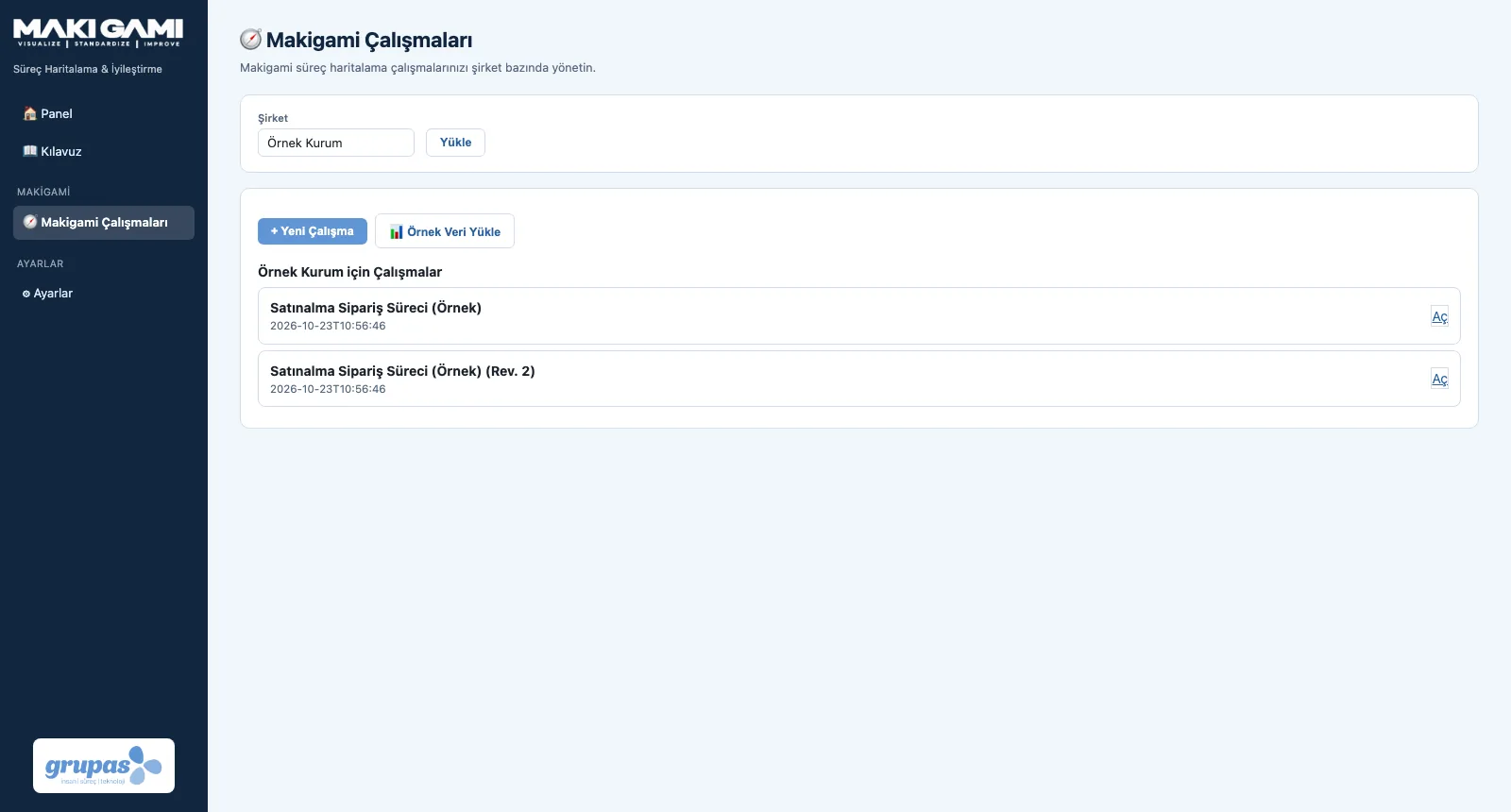
Open a study
Open a new Makigami study or start from the sample process; write the scope (from where to where).
-
2
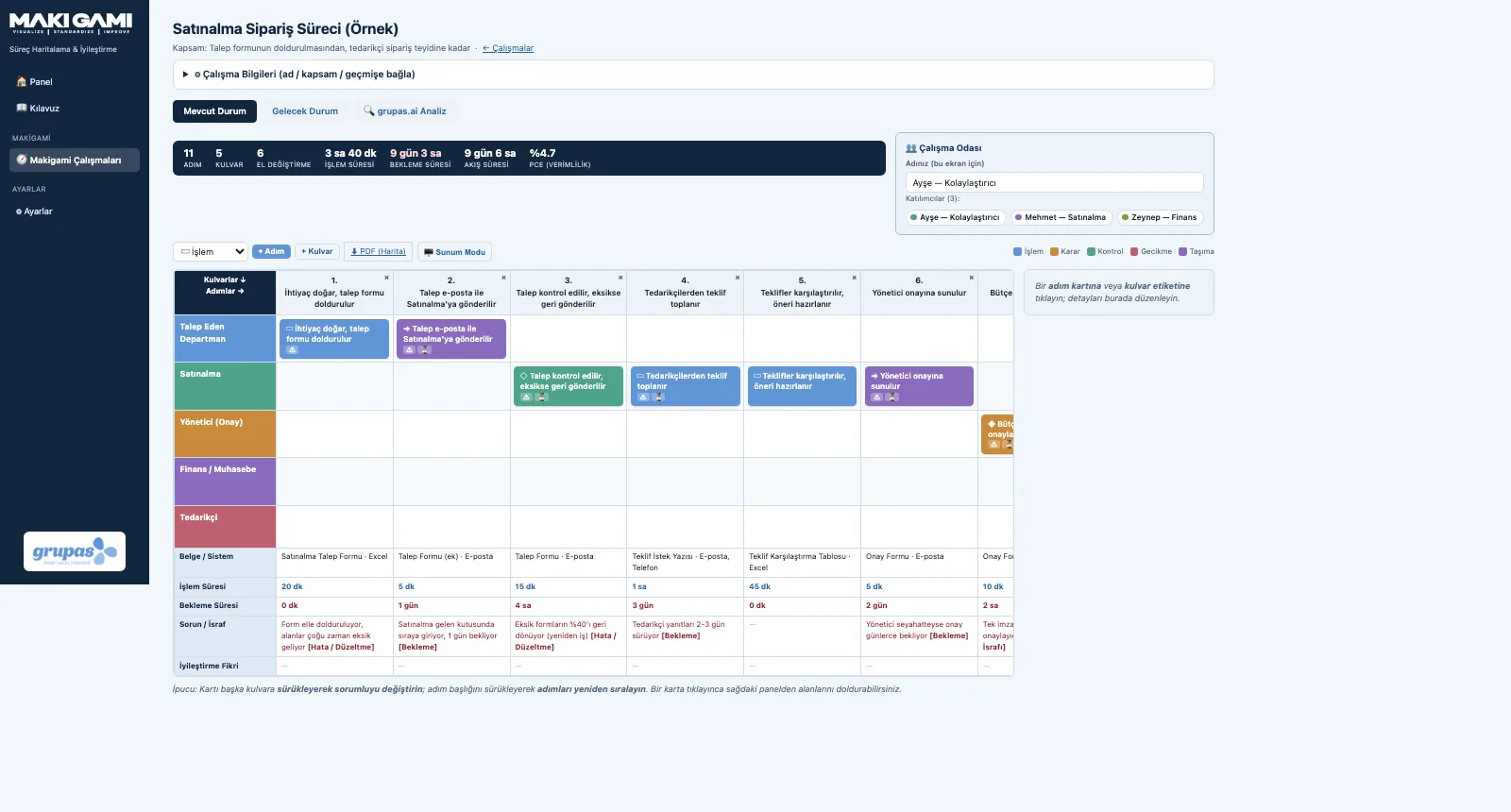
Draw lanes and steps
Open a lane for each actor and add steps left to right; step cards sit in the owner's lane.
-
3
Enter step details
Click a card; in the panel enter its type, processing and waiting time, document / system, problem and idea.
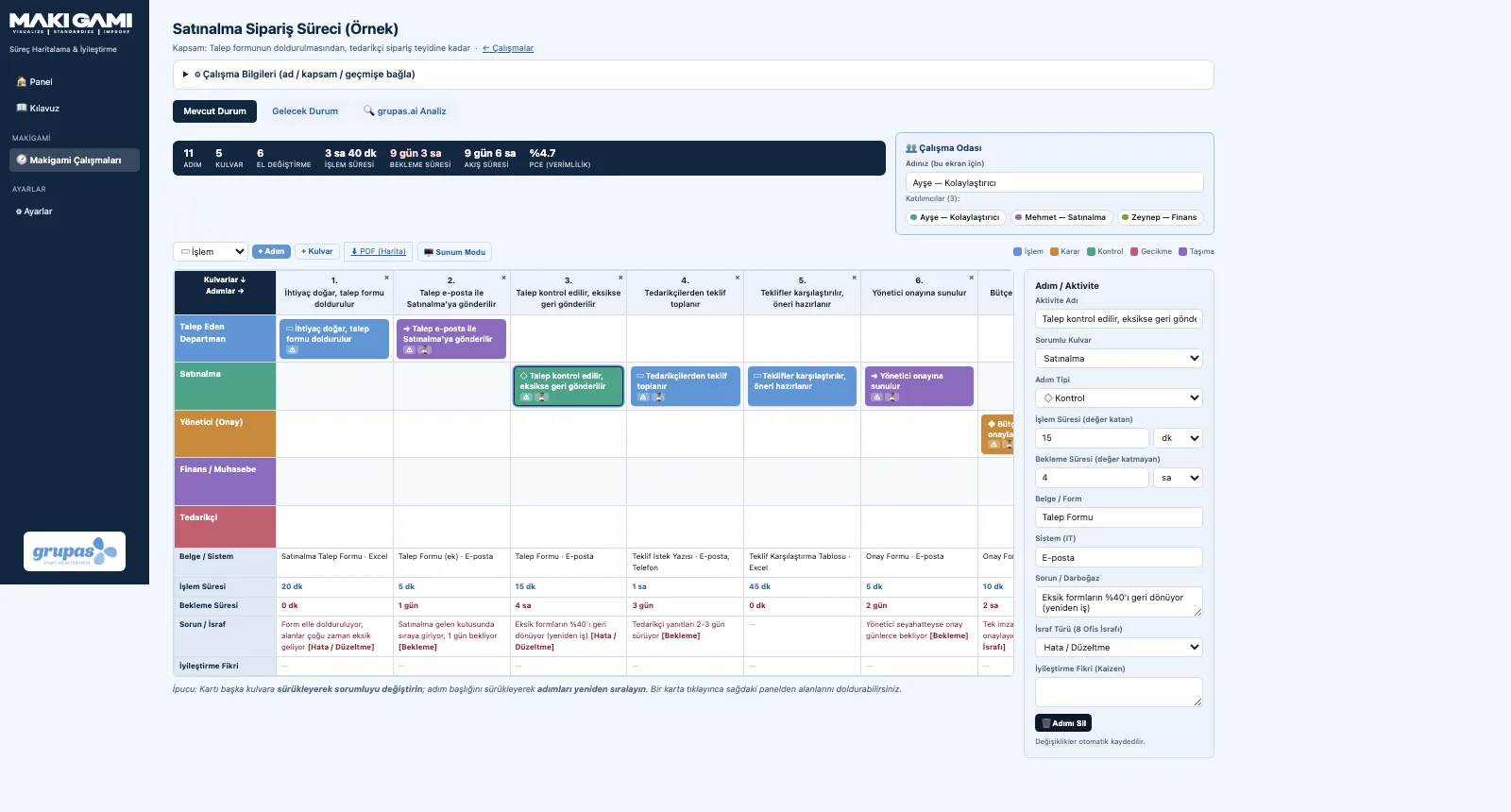
Screens are shown with sample data; the application interface is in Turkish.
Purpose
To make visible how office, administrative and information-driven processes really run today — who does what, in which order.
Features
- Swimlanes: a coloured row for every actor, role or department in the process
- Step types: process, decision, check, delay, transport — with symbols and colour codes
- Drag and drop: move a card to another lane to change the owner, move a header to reorder
- Step panel with actor, type, times, document / system, problem and idea fields
- Every change is saved instantly
Benefits
- Gaps in ownership become visible
- The team discusses the process on the same picture
- A lasting record instead of paper rolls and sticky notes
Who uses it
Process owners, administration, purchasing, finance, HR and lean office teams.
All features
See your office process in MAKI GAMI
Write to us for a live walkthrough on sample data.
Request a demo