
Six capabilities, one application
MAKI GAMI is one package: every feature comes with every license. MAKI GAMI capabilities follow the natural order of a workshop: map, record, measure, collaborate, design the future state and analyze.
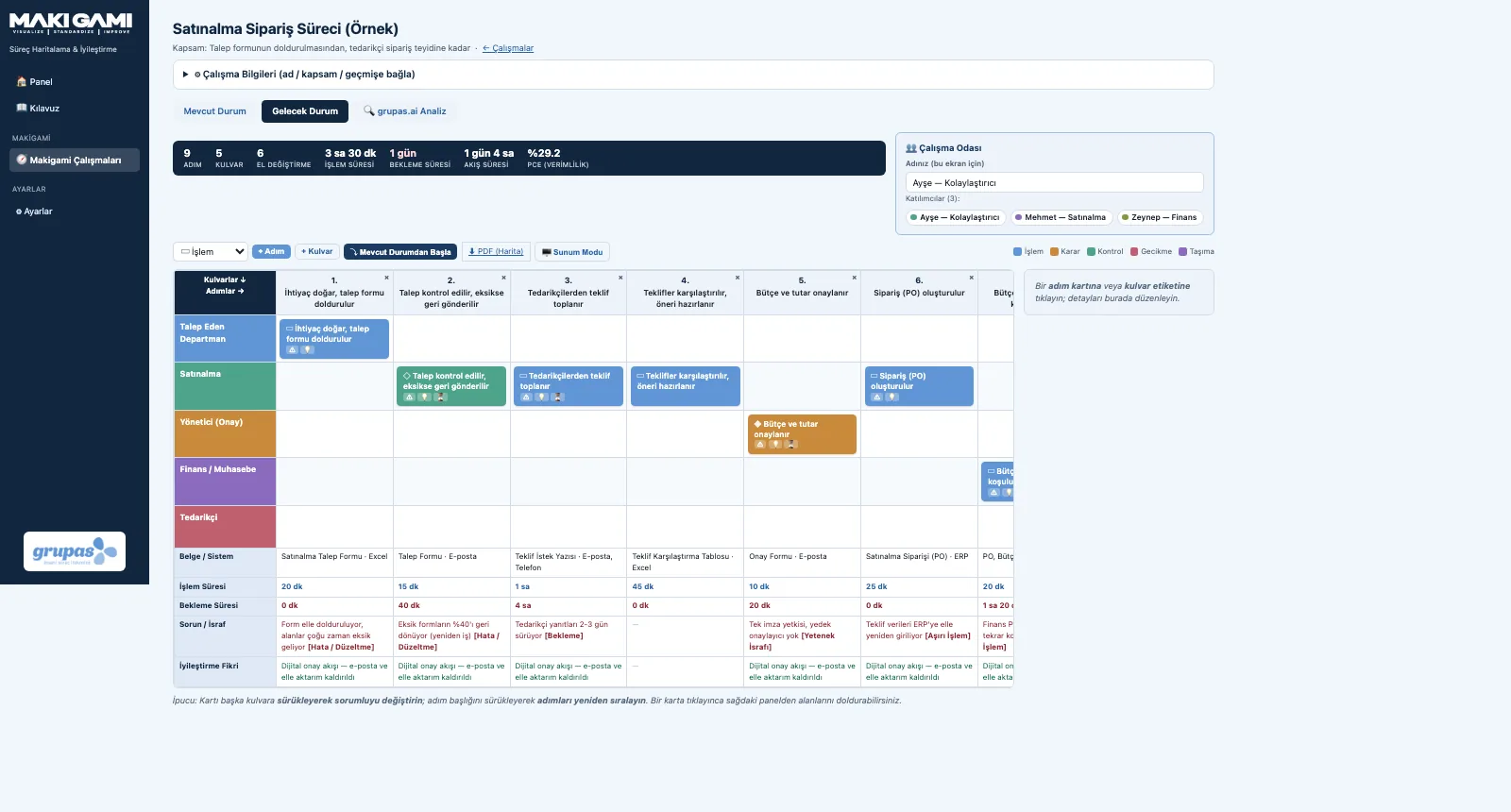
Swimlane Process Map
Map your office process step by step on a swimlane grid.
Explore RecordDocument, Time and Problem Bands
Documents, times, problems and ideas — each in its own band under every step.
Explore MeasureFlow Metrics
PCE, lead time and number of handoffs — with every change.
Explore CollaborateGroup Workshop
The team on the same map at the same time — each from their own device.
Explore DesignFuture State and Revisions
Design the streamlined process on top of the current map.
Explore AnalyzeAI Analysis and Reports
AI assesses your map for office waste; the result goes to PDF.
ExploreSwimlane Process Map
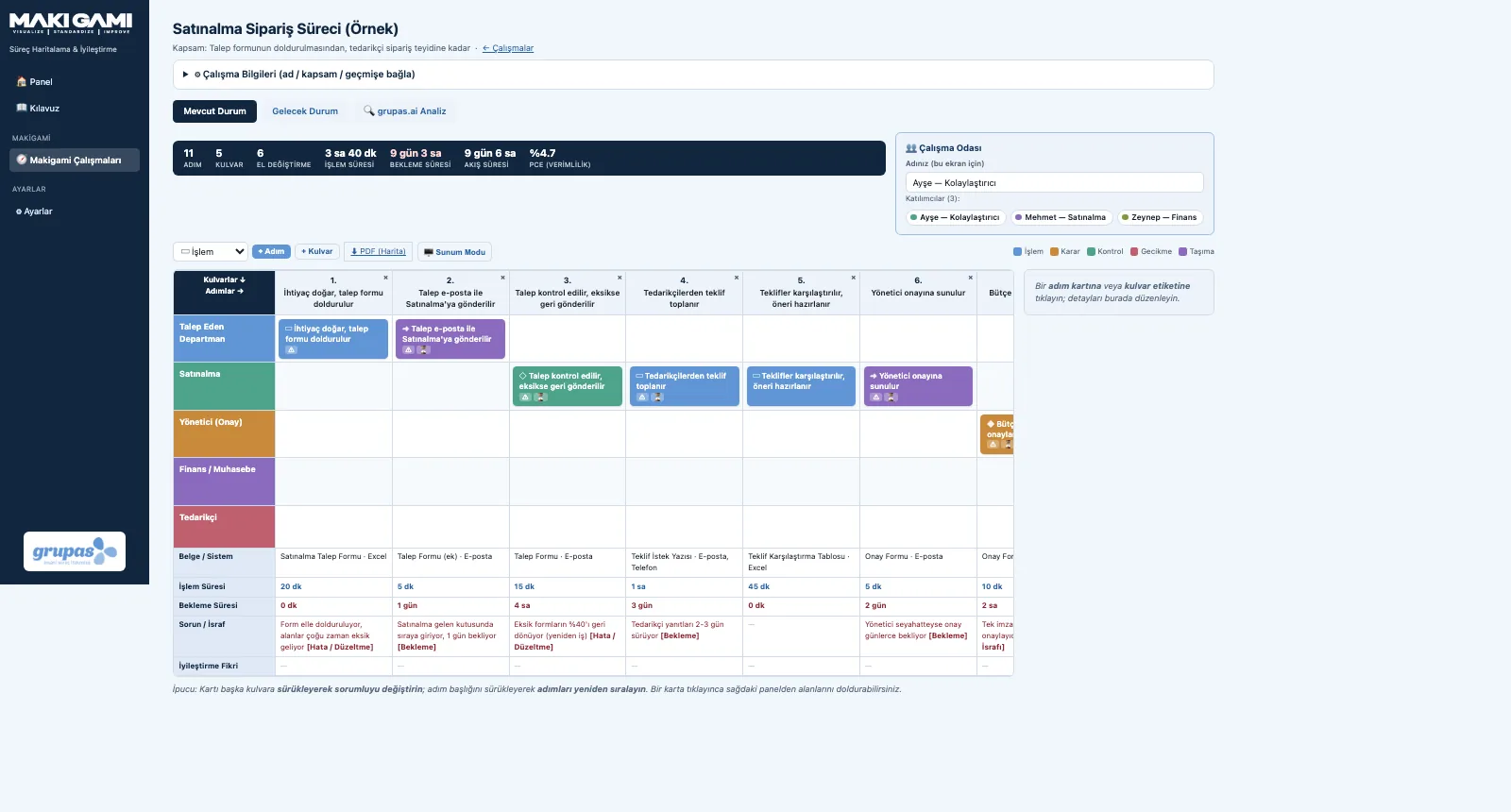
Process steps run left to right on the horizontal axis; the people and departments involved (swimlanes) run down the vertical axis. The lane a step card sits in shows who performs it, so the flow of documents, information and approvals reads at a glance.
- Swimlanes: a coloured row for every actor, role or department in the process
- Step types: process, decision, check, delay, transport — with symbols and colour codes
- Drag and drop: move a card to another lane to change the owner, move a header to reorder
- Step panel with actor, type, times, document / system, problem and idea fields
- Every change is saved instantly
Document, Time and Problem Bands
Below the lanes, every step has analysis bands: the document and system used, processing time, waiting time, problem / waste and improvement idea. Problems are tagged with one of the eight office wastes.
- Document / System band: forms, paperwork, e-mail and IT systems
- Processing time and waiting time bands (minutes, hours or days)
- Problem / Waste band: 8 office waste tags (DOWNTIME)
- Improvement Idea band: a kaizen suggestion for each step
- Problems in red, ideas in green — visible right away in the workshop
Flow Metrics
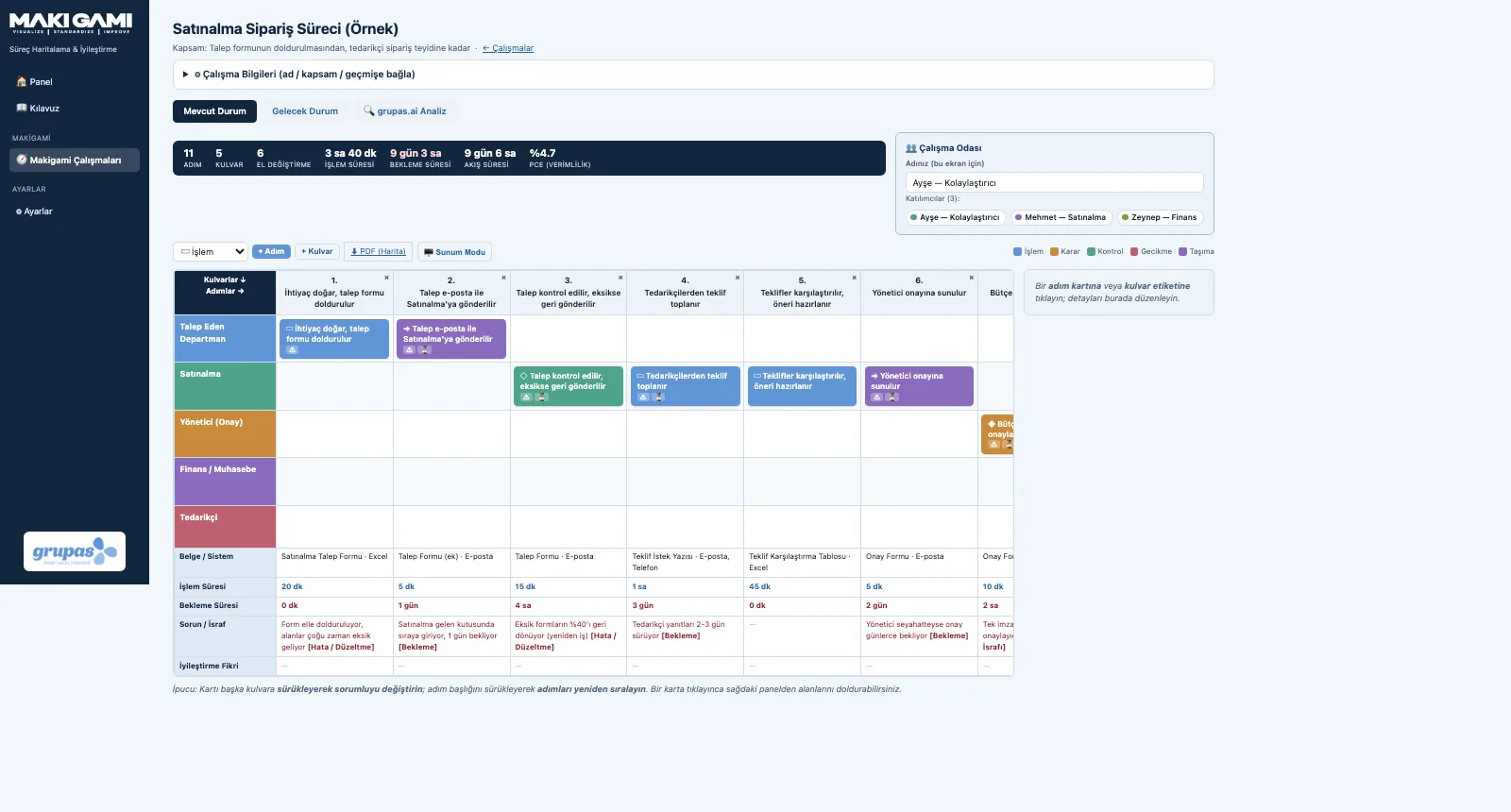
The metrics bar above the map instantly shows the number of steps and lanes, handoffs, total processing and waiting time, lead time and process cycle efficiency (PCE).
- Lead time = processing time + waiting time
- PCE = total processing time ÷ total lead time
- Handoffs: counted automatically when consecutive steps sit in different lanes
- Problem and idea counts, bottleneck step
Group Workshop
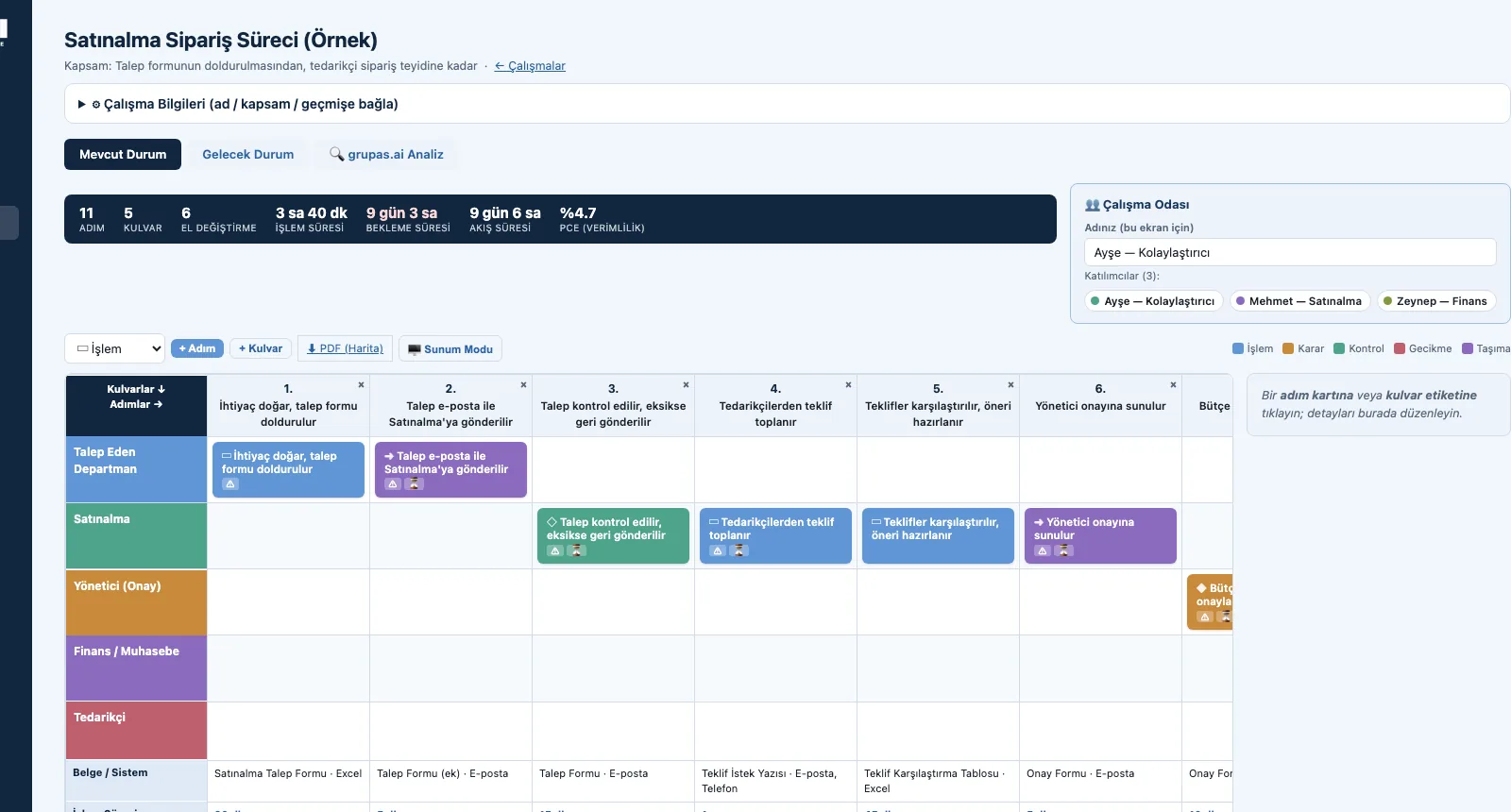
Makigami is teamwork at heart. Participants open the same study on their own devices; a card one person adds or moves appears on the other screens within seconds, and who changed what is visible.
- Live sync: changes reach every screen within seconds
- Workroom: participants with their names and colours
- Each card shows who added or changed it
- Sync waits while you edit — nothing you type is lost
- Presentation Mode: shows the map large and clean for a projector
Future State and Revisions
The future state starts with one click from a copy of the current state: you merge steps, remove unnecessary approvals and transfers and shorten waiting times. A past study can be opened as a new revision and linked to the previous one.
- 'Start from current state' — a copy of the map
- Current and future state in the same study, on separate tabs
- Open a past study as a new revision
- Link a study to the previous one
AI Analysis and Reports
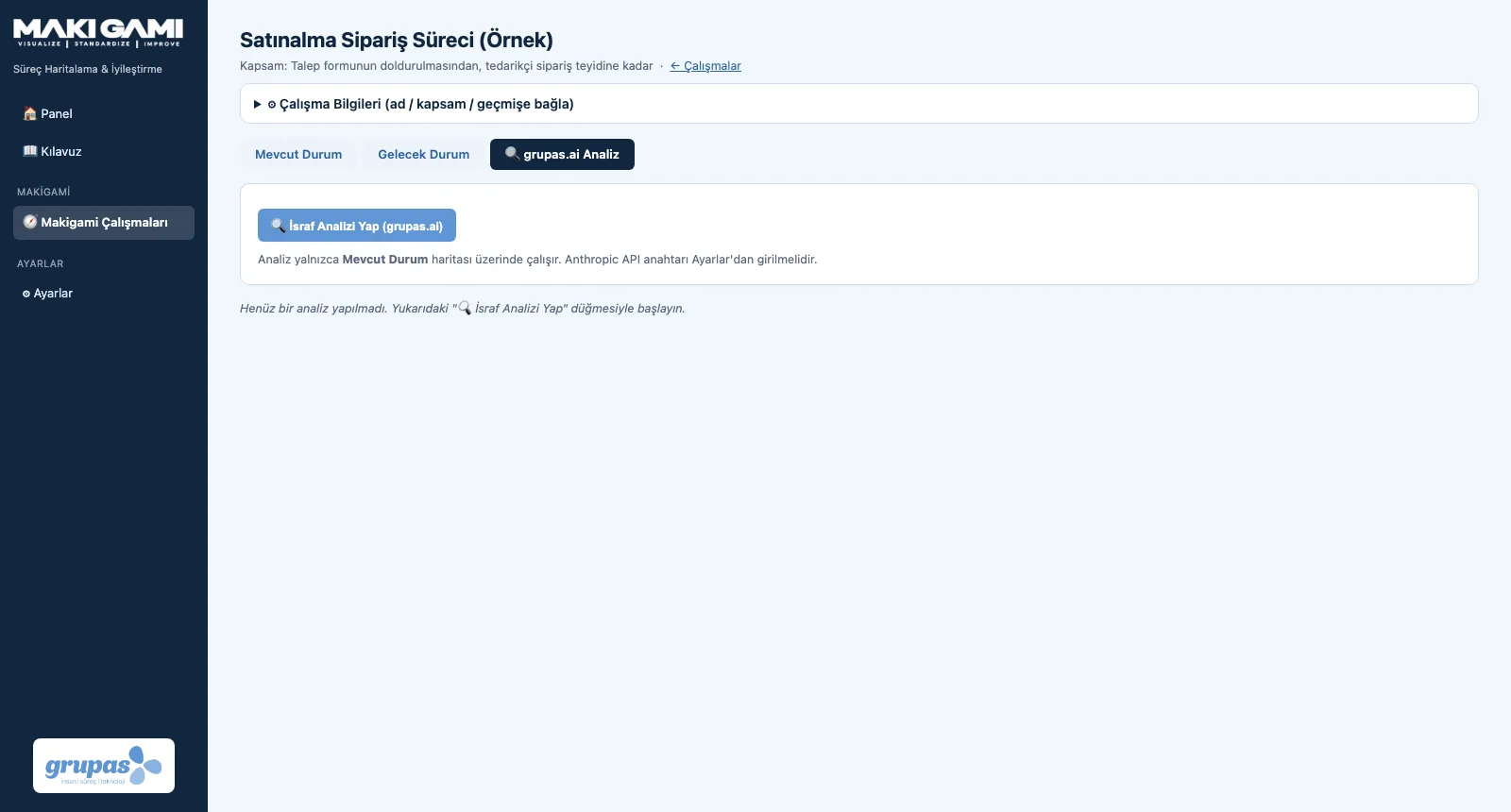
grupas.ai assesses your current-state map for the eight office wastes, handoffs, waiting and low PCE: an overall assessment, bottlenecks, waste findings, improvement recommendations, quick wins and a PCE target. The map and the analysis download as PDF.
- Bottlenecks and waste findings (with the 8 office wastes)
- Improvement recommendations and quick wins
- A suggested PCE target
- Map PDF (current / future state) and analysis report as PDF / Markdown
- The analysis runs only when you start it
See your office process in MAKI GAMI
Write to us for a live walkthrough on sample data.