
Group Workshop
The team on the same map at the same time — each from their own device.
Makigami is teamwork at heart. Participants open the same study on their own devices; a card one person adds or moves appears on the other screens within seconds, and who changed what is visible.
What you gain with MAKI GAMI
- Presentation Mode hides the sidebar and tools; press Esc to leave.
How it works
Set up the workshop: everyone joins, the facilitator leads.
-
1
Join the room
Participants open the same study and enter their names; everyone appears in the Workroom with name and colour.
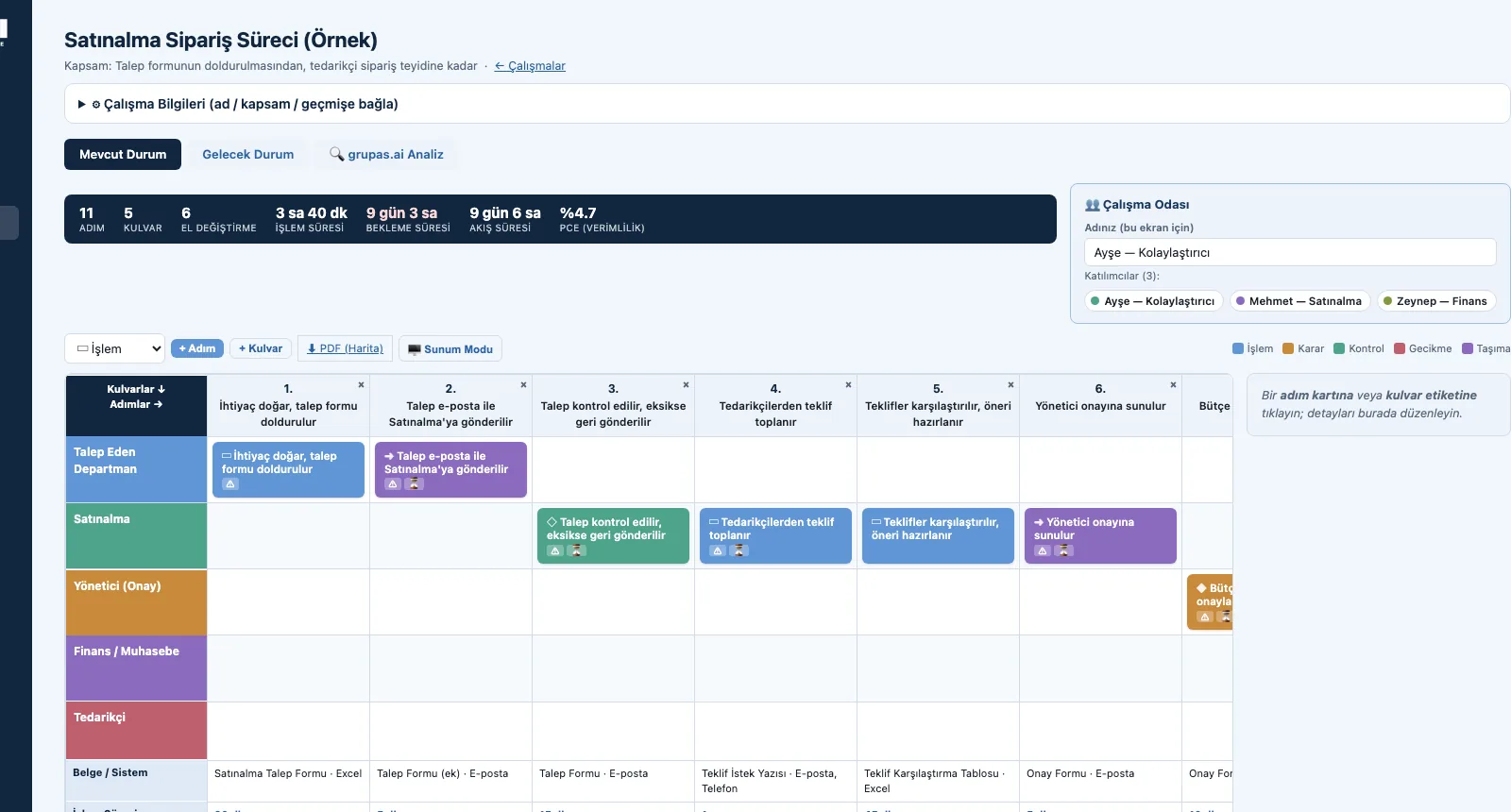
-
2
Lead on the projector
Presentation Mode shows the map large and clean; the facilitator leads the process in front of the team.
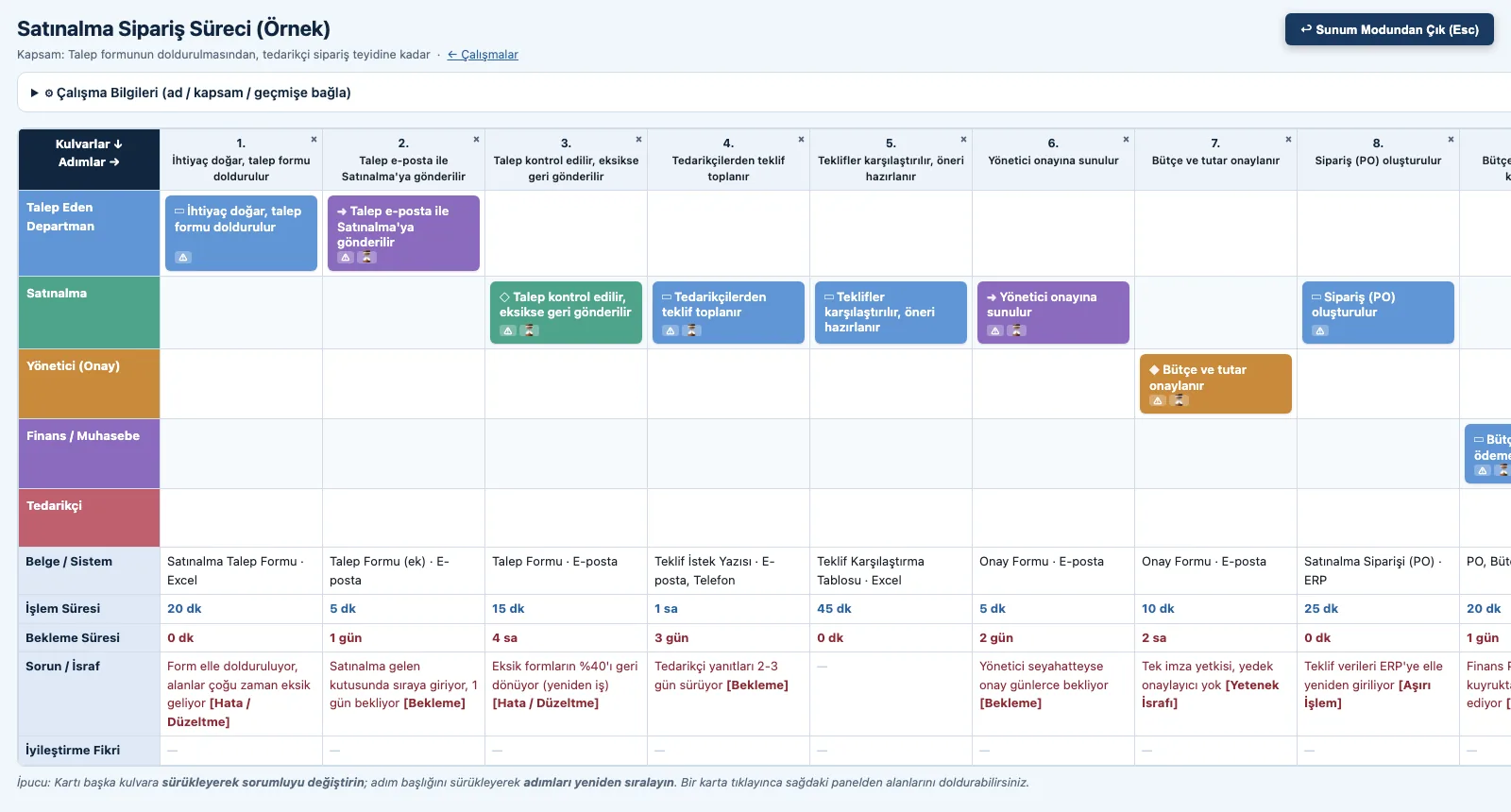
-
3
Follow the workshop steps
The ten steps in the guide: scope, the right team, lanes, steps, times, documents, problems, ideas, metrics, future state.
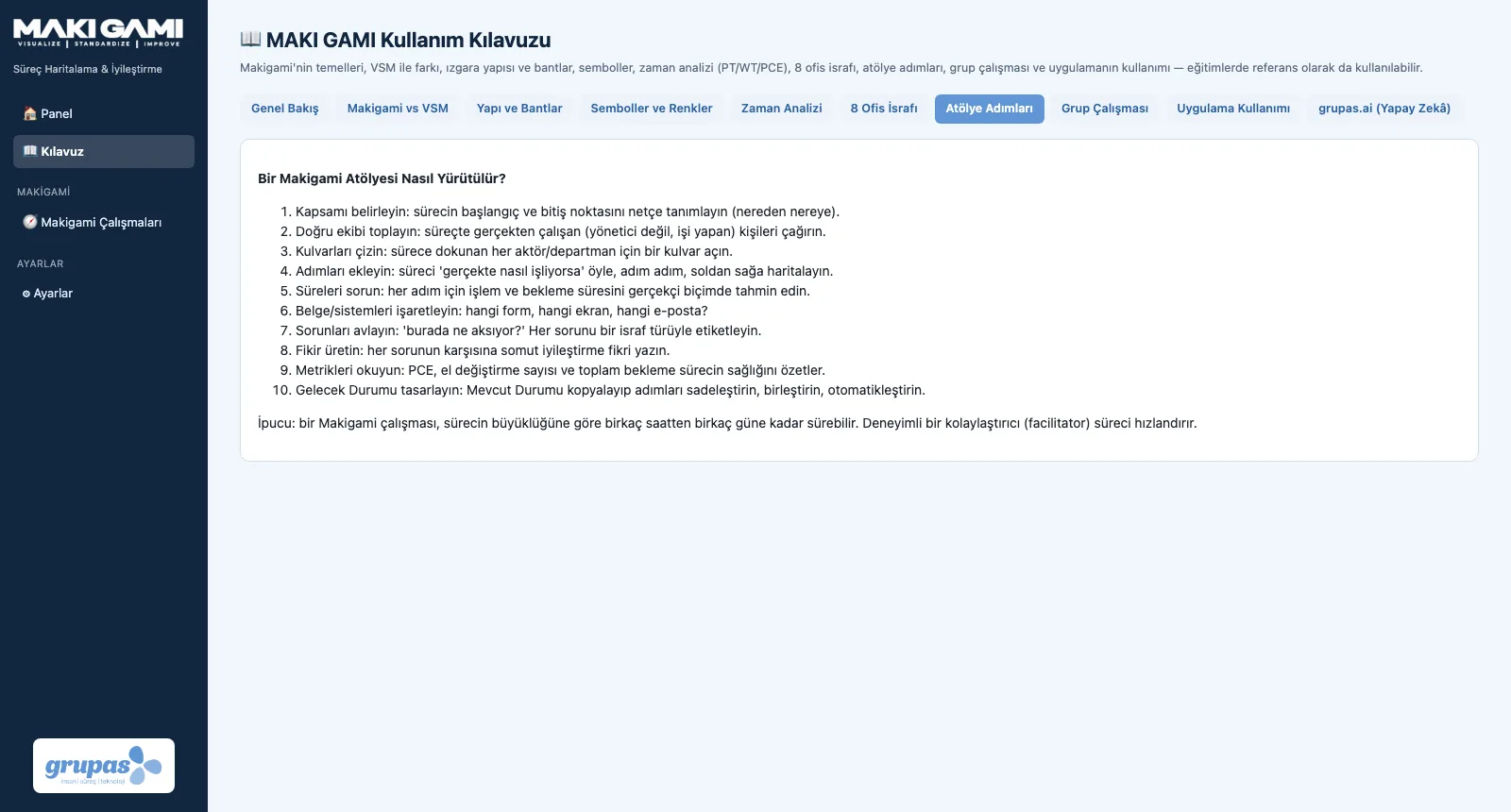
Screens are shown with sample data; the application interface is in Turkish.
Purpose
To bring the paper-roll-on-the-wall workshop into the digital world, so everyone who works in the process contributes to the same map.
Features
- Live sync: changes reach every screen within seconds
- Workroom: participants with their names and colours
- Each card shows who added or changed it
- Sync waits while you edit — nothing you type is lost
- Presentation Mode: shows the map large and clean for a projector
Benefits
- Everyone who does the work takes part
- The workshop output is saved instantly
- A strong stage for the facilitator
Who uses it
Facilitators, lean trainers and consultants, and the whole team working in the process.
All features
See your office process in MAKI GAMI
Write to us for a live walkthrough on sample data.
Request a demo